Turn Your Mac Trackpad into a Pressure-Sensitive Drawing Tablet with SonarPen (USB C)

SonarPen (USB C) on Mac
Upgrade your Mac trackpad to a pressure sensitive drawing tablet
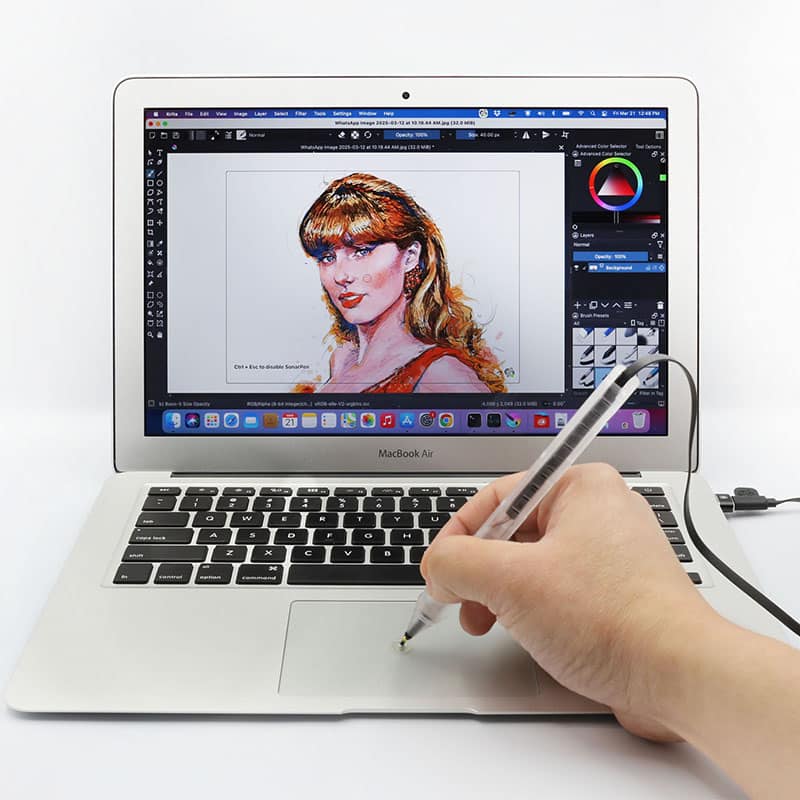
SonarPen (USB C) on Mac
Upgrade your Mac trackpad to a pressure sensitive drawing tablet
See how to use SonarPen (USB C) to draw on Mac
SonarPen (USB C) in action
See how to use SonarPen (USB C) to draw on Mac
SonarPen (USB C) in action
 SonarPen (USB C) US$ 43
|
VS. |
Drawing tablet
US$ 100+ |
|---|---|---|
| iPad, iPhone Android Touchscreen Chromebook Nintendo Switch Windows notebook or tablet & Mac |
Hardware compatibility |
some models compatible with more devices, some models less |
| USB C | Connection | USB A |
| 18 grams built-in cable management bundles with pen holder | Mobility | 300+ grams no cable management carry separately |
| Yes | Pressure sensitivity | Yes |
| Yes | Shortcut button | Yes |
| Gliding on trackpad | Drawing cursor postitioning | Hovering on tablet |
| just your Mac's trackpad | Space required | big desktop |
| Fine tip with transparent disc | Pen nib | Fine tip |
SonarPen vs.
Drawing Tablet
Drawing Tablet
SonarPen |
Drawing tabletUSD 100+ |
|
|---|---|---|
| Hardware compatibility | iPad, iPhone Android Touchscreen Chromebook Nintendo Switch Windows notebook or tablet & Mac computer |
some models compatible with more devices, some models less |
| Connection | USB C | USB A |
| Mobility | 18 grams built-in cable management bundles with pen holder |
300+ grams no cable management carry separately |
| Pressure | Yes | Yes |
| Button | Yes | Yes |
| Drawing cursor positioning | Gliding on trackpad |
Hovering on tablet |
| Space required | just your Mac trackpad | big desktop |
| Pen nib | Fine tip with transparent disc | Fine tip |











Tested and compatible with these creative apps out of the box.
Tested and compatible with all these creative apps out of the box.
Don't wait.
Pick up your SonarPen (USB C) and draw on your Mac now.
Requirements
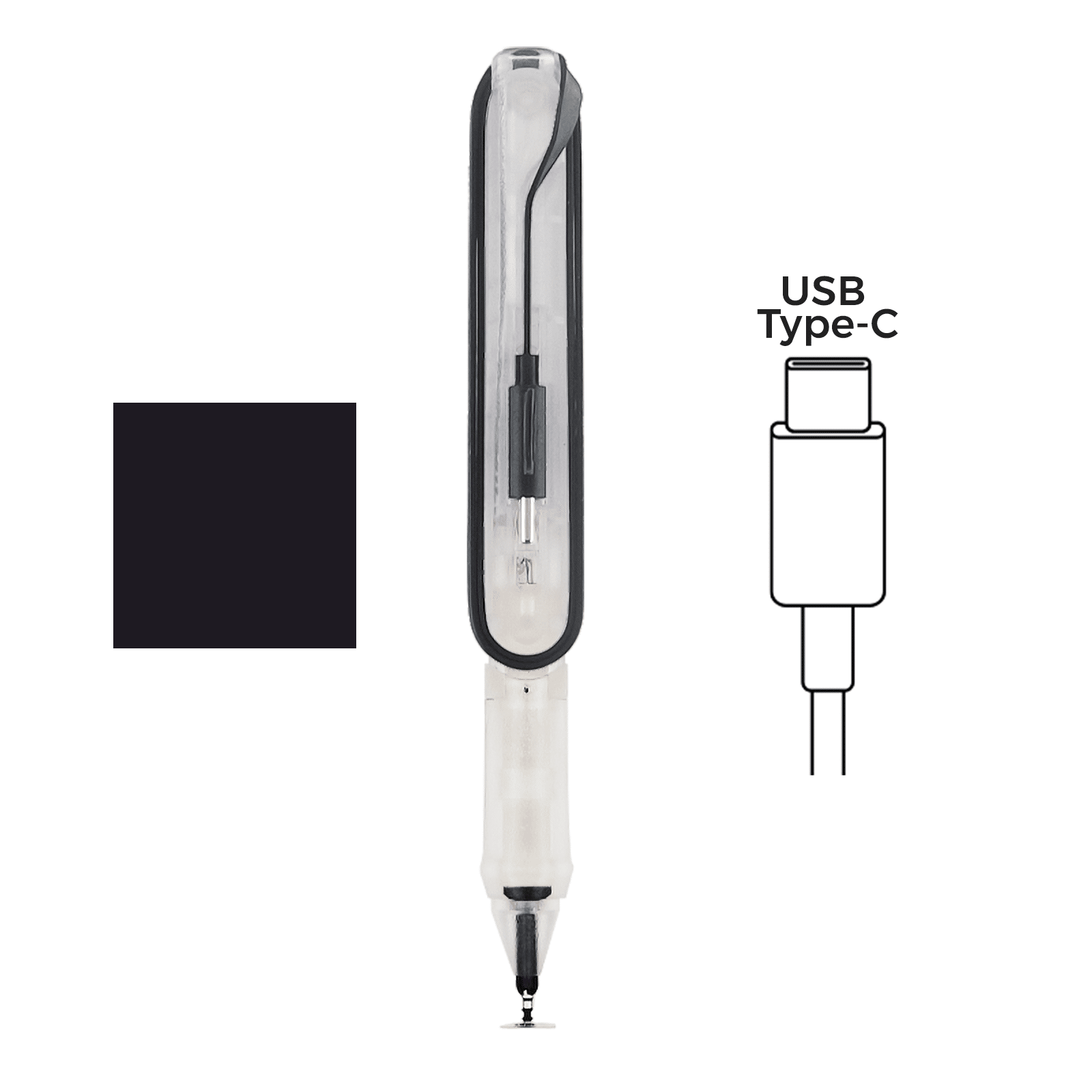
◽️ SonarPen (USB C) stylus / SonarPen stylus with SonarPen USB Type C adapter
**USB adapters from other brands are not compatible.
 | or | 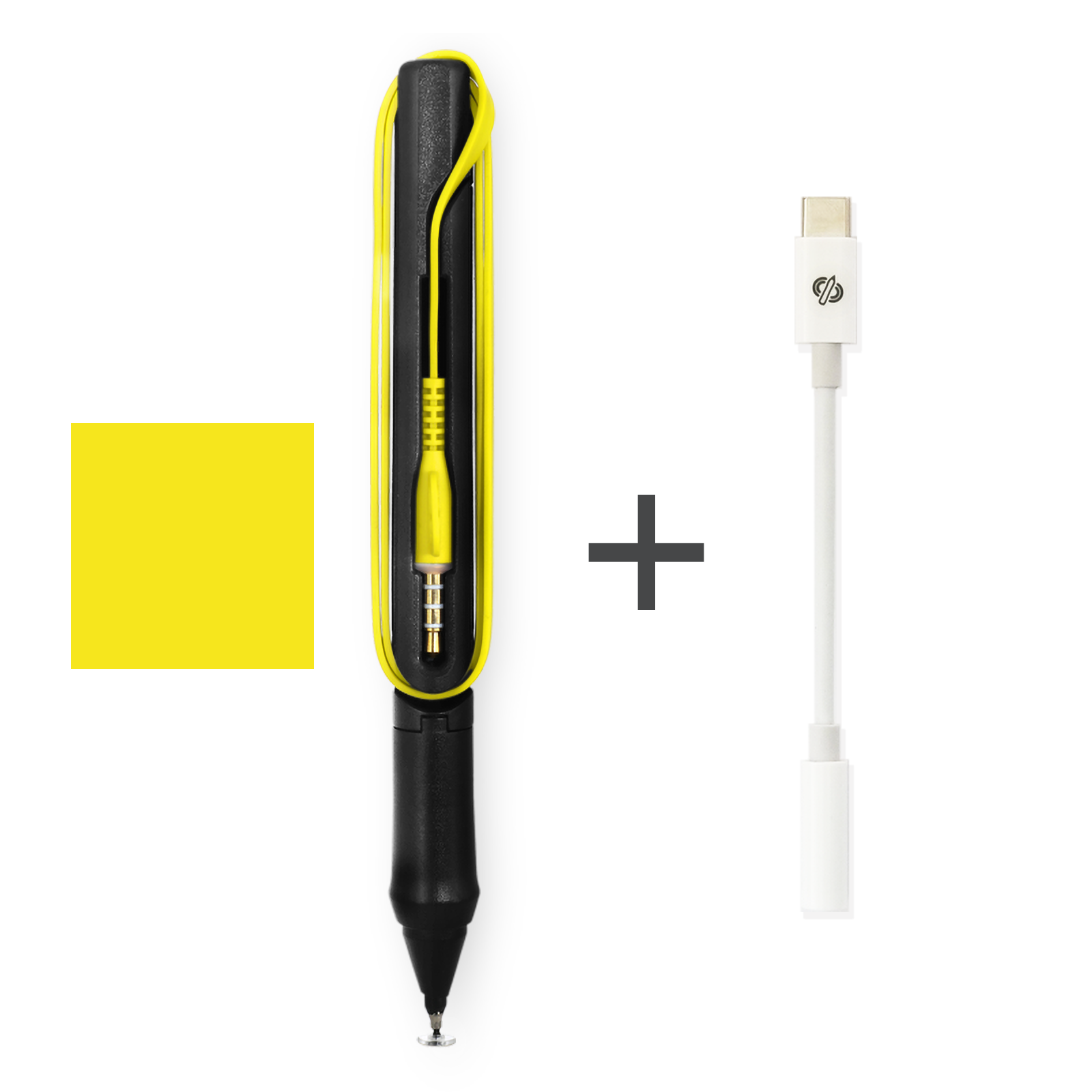 |
|---|
◽️ SonarPen macOS driver
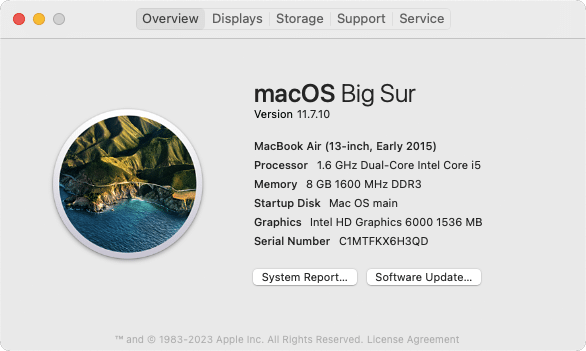
◽ Mac computer (desktop or notebook) running macOS 11 or later
Click > About This Mac to find out the version of the installed macOS.
 |
|---|
◽️ Internal or External trackpad connected to the Mac
◽️ Drawing apps that support stylus input, like Photoshop, Krita
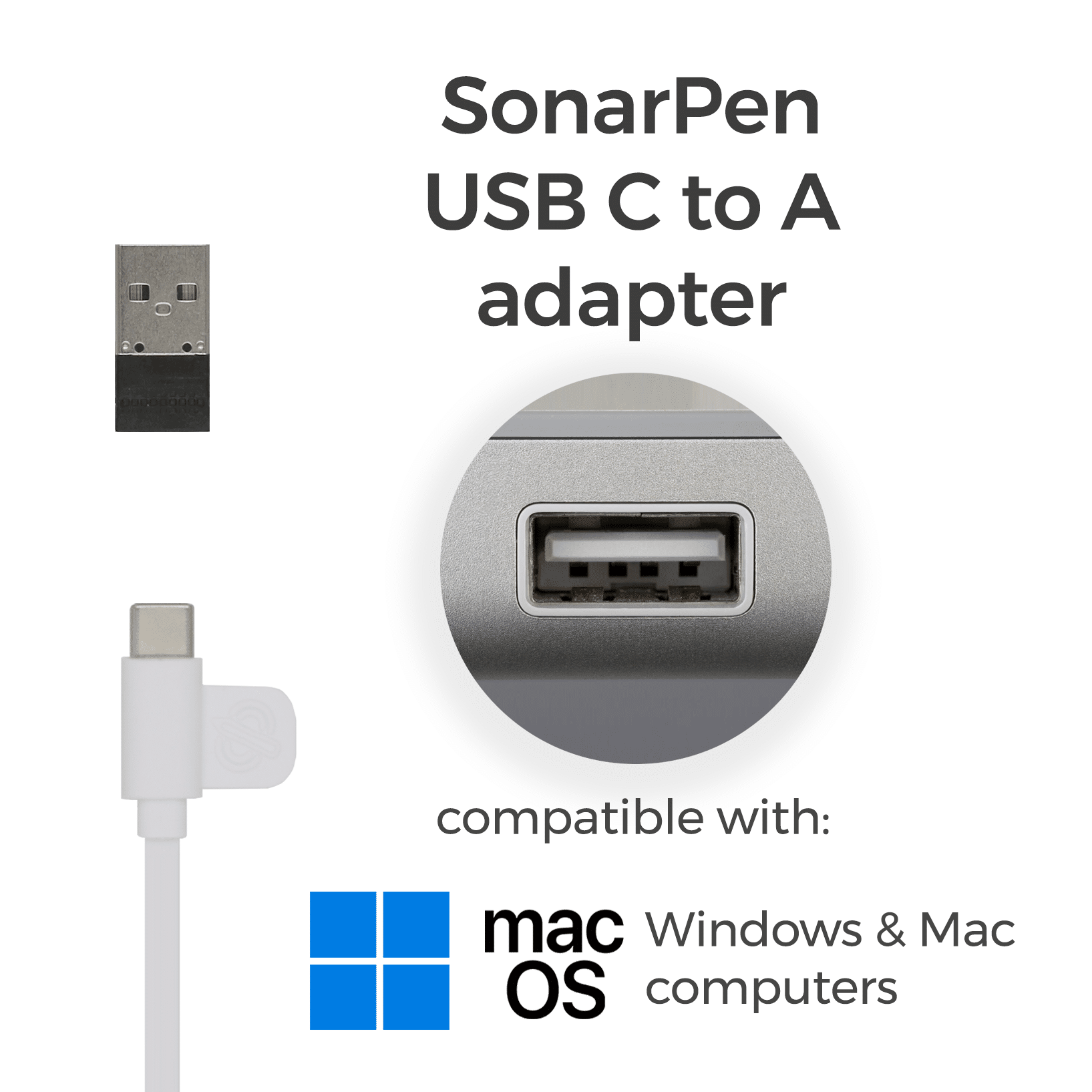
◽ SonarPen USB Type-C to A adapter
**optional, for computer without USB A port
 |
|---|
Requirements
◽️ SonarPen (USB C) stylus / SonarPen stylus with SonarPen USB Type C adapter
**USB adapters from other brands are not compatible.
| or | |
|---|
◽️ SonarPen macOS driver
◽️ Mac computer (desktop or notebook) running macOS 11 or later
Click > About This Mac to find out the version of the installed macOS.
◽️ Internal or External trackpad connected to the Mac
◽️ Drawing apps that support stylus input, like Photoshop, Krita
◽ SonarPen USB Type-C to A adapter
**optional, for computer without USB A port
|
|---|
The SonarPen macOS Driver detects your strokes on the trackpad and sends them to the drawing app.
It is FREE for all SonarPen users!
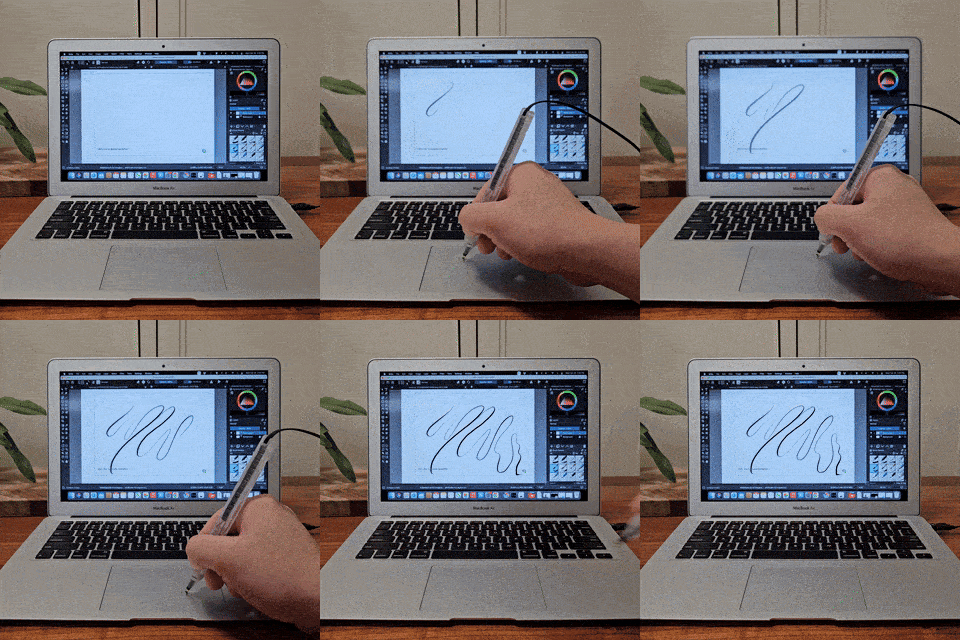
SonarPen macOS Driver detects your strokes on the trackpad and send them to the drawing app.
It is FREE for all SonarPen users!
Download SonarPen macOS Driver
V1.8.3, released in 15 Jun 2025
for all Mac computers with internal or external trackpad
[ v1.8.3 ]
- Improve compatibility with macOS 26 Tahoe
[ v1.8.2 ]
- Bug fixed for MacBook with touchbar
[ v1.8 ]
- Added palm rejecting area on the button edge of the trackpad
- Fix a freezing bug when opening the settings menu while external Magic Trackpad connected
[ v1.5.1 ]
- Fix compatibility problem with MacBook with Touch Bar
- MacBook Pro 2016
- MacBook Pro 15-inch (2016)
- MacBook Pro 16-inch (2019)
- MacBook M2 Air (2022)
- MacBook Pro M2 (LATE 2023)
[ v1.5.0 ]
- Improved installation process to ensure SonarPen driver has all the necessary permissions to operate
- Improved app compatibility so SonarPen works with more creative apps
- Added Compatible Mode for apps like SketchBook Pro that don't detect pressure sensitivity normally
- Added ability to use external Magic Trackpad
- Trackpad split into left and right halves, allowing two-finger gestures (move, zoom, rotate) to control the SonarPen drawing window and other on-screen elements separately
- Added Reset driver switch in the settings panel for a fresh restart
[ v1.0.0 Initial release ]
- Pressure sensitivity
- User customizable shortcut button
- Pressure sensitive level adjustment
- Pressure smoothness level adjustment
- Tap the table gesture allows switching between drawing and finger gesture mode easily.
|
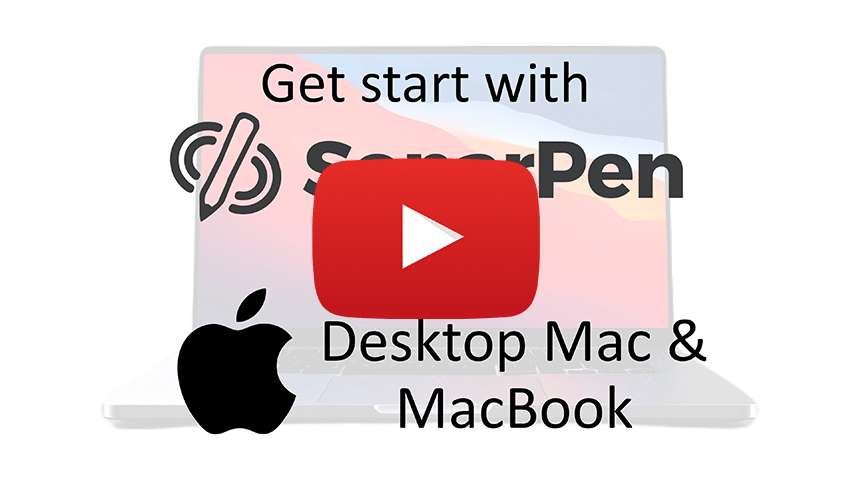
Step by step tutorial to install SonarPen macOS driver
Download SonarPen macOS Driver
V1.8.3, released in 15 Jun 2025
for all Mac computers with internal or external trackpad
[ v1.8.3 ]
- Improve compatibility with macOS 26 Tahoe
[ v1.8.2 ]
- Bug fixed for MacBook with touchbar
[ v1.8 ]
- Added palm rejecting area on the button edge of the trackpad
- Fix a freezing bug when opening the settings menu while external Magic Trackpad connected
[ v1.5.1 ]
- Fix compatibility problem with MacBook with Touch Bar
- MacBook Pro 2016
- MacBook Pro 15-inch (2016)
- MacBook Pro 16-inch (2019)
- MacBook M2 Air (2022)
- MacBook Pro M2 (LATE 2023)
[ v1.5.0 ]
- Improved installation process to ensure SonarPen driver has all the necessary permissions to operate
- Improved app compatibility so SonarPen works with more creative apps
- Added Compatible Mode for apps like SketchBook Pro that don't detect pressure sensitivity normally
- Added ability to use external Magic Trackpad
- Trackpad split into left and right halves, allowing two-finger gestures (move, zoom, rotate) to control the SonarPen drawing window and other on-screen elements separately
- Added Reset driver switch in the settings panel for a fresh restart
[ v1.0.0 Initial release ]
- Pressure sensitivity
- User customizable shortcut button
- Pressure sensitive level adjustment
- Pressure smoothness level adjustment
- Tap the table gesture allows switching between drawing and finger gesture mode easily.
Step by step tutorial to install SonarPen macOS driver
missing the SonarPen USB Type-C adapter?
Optimize SonarPen to work on your Mac
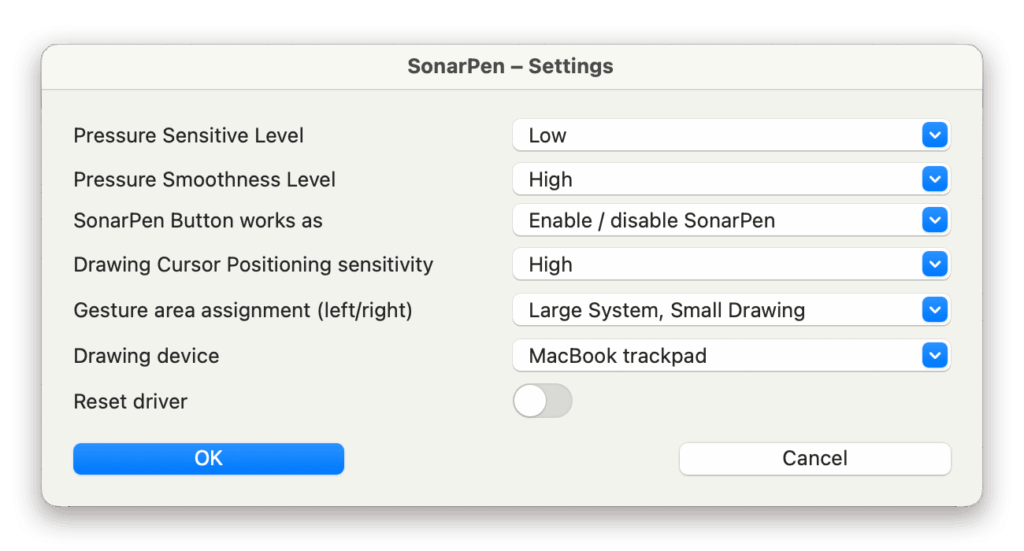
SonarPen driver works immediately after calibration. However, here are a few settings to make the SonarPen work closer to your drawing habit.
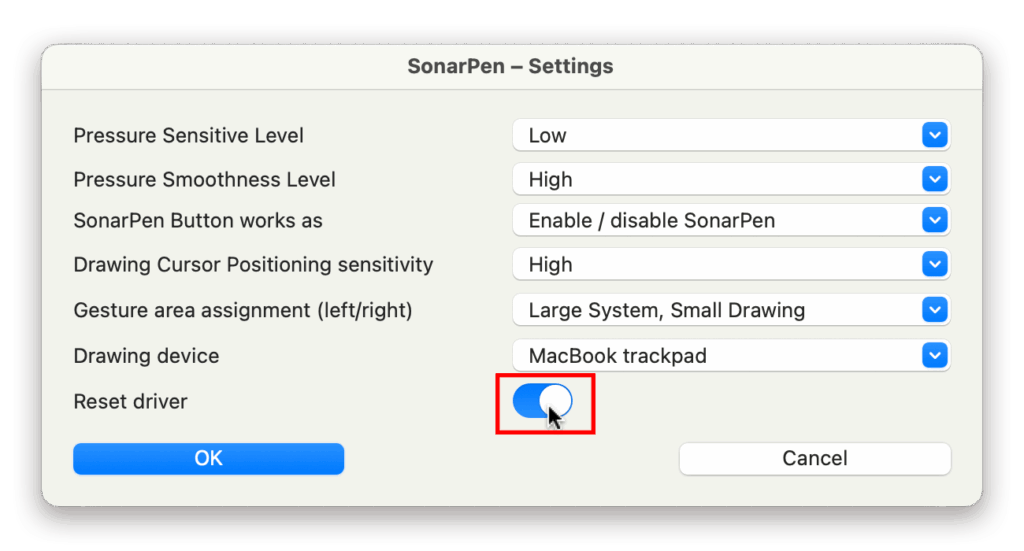
Customize touch device, button and pressure behavior with Settings menu
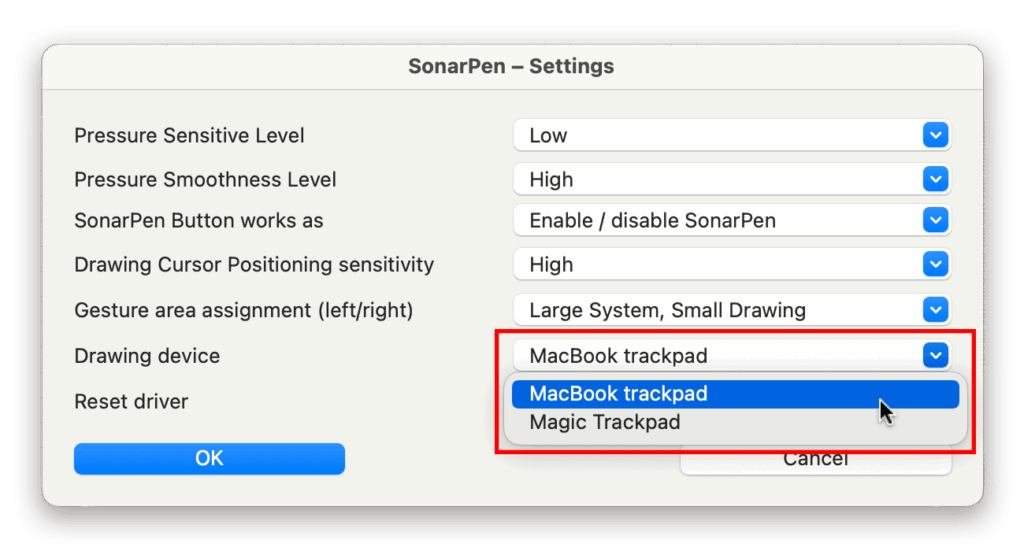
Pressure Sensitive Level: To choose between Low, Medium and High. It sets how much pressure is required to change the width of a stroke.
Pressure Smoothness Level: To choose between Low, Medium and High. It sets how raw (or how smooth) the pressure level should be reflected on the stroke.
SonarPen Button works as:
- Undo (available on MacOS 12 and later) - Just like Command + Z. Works in all apps.
- Barrel Button - It triggers the default stylus button function chosen by the app.
- Toggle between drawing mode and finger gesture mode - It changes the two modes without using the table tapping gesture. See below for more detail.
Drawing Cursor Positioning sensitivity: To choose between Low, Medium and High. It sets the pressure threshold between positioning the drawing cursor and the start of a stroke.
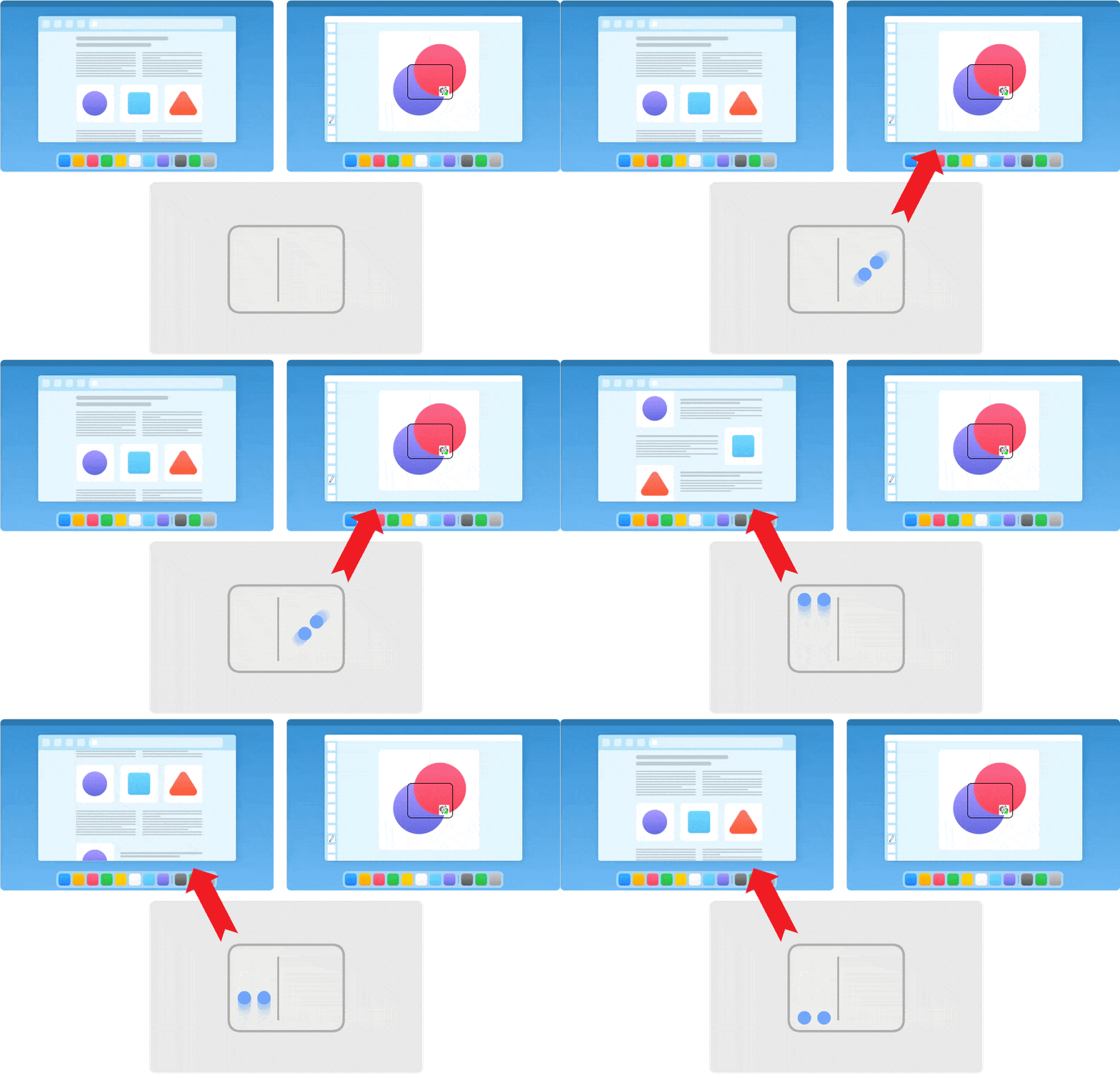
Moving, Rotating and Zooming with 2 fingers gestures
When SonarPen is enabled, 2 fingers gesture on the trackpad is split in to right and left halves. By default, the right side is to control the location and the size of the SonarPen drawing window and the left side is to control other elements on the screen. User can change the behavior of the trackpad through the option in the Settings panel.
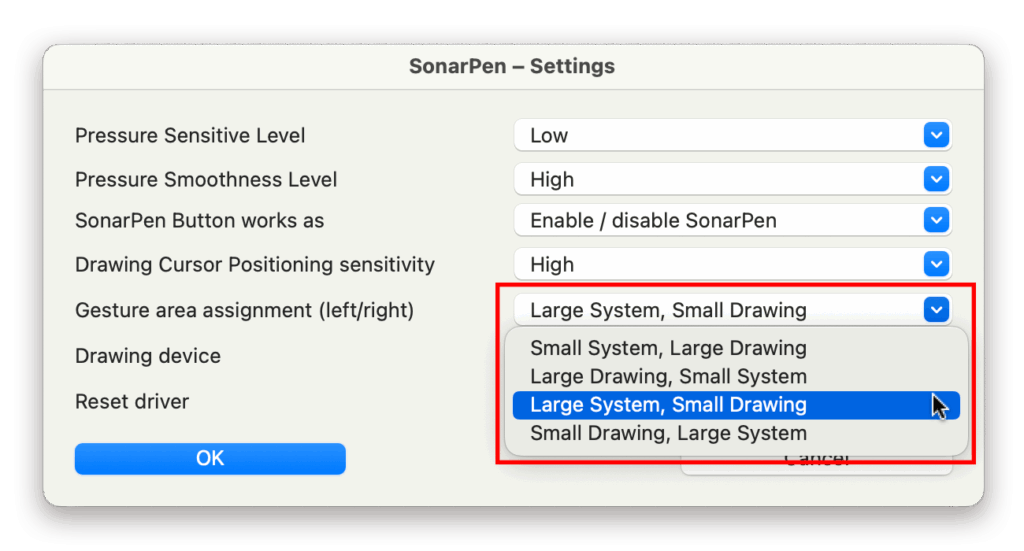
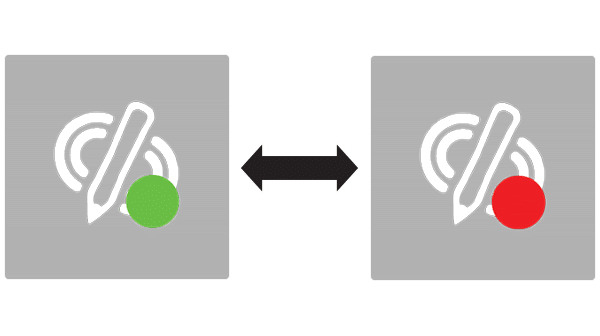
Enable / disable SonarPen with keyboard shortcut or table tapping gesture
To enable / disable SonarPen, either click the button on the SonarPen, use the Control+ESC shortcut on the keyboard or tap SonarPen on the table and hold for 1 second.
Switch between internal and external trackpad
For Mac computer connected to multiple trackpads, go to the Settings panel and select the trackpad to use with the SonarPen.
Reset the driver to have a fresh start
When SonarPen is not working properly. Go to the Settings panel > Switch on the Reset driver button and click OK.